
If you've ever sent an email asking about a payment or picked up the phone to chase down a remittance, this one's for you.
Every remittance for your payments is stored in the Provider Choice portal. They're available any time after payment is made. No waiting for a reply to your email. No phone tag. Log in, find it, download it. Done.
Looking for a Particular Remittance?
Under Remittances in the left-hand menu, you'll find a full list of your remittances. Each one is named and organised by payment date, so it's easy to find what you're looking for. You can search by date if you need to narrow things down.
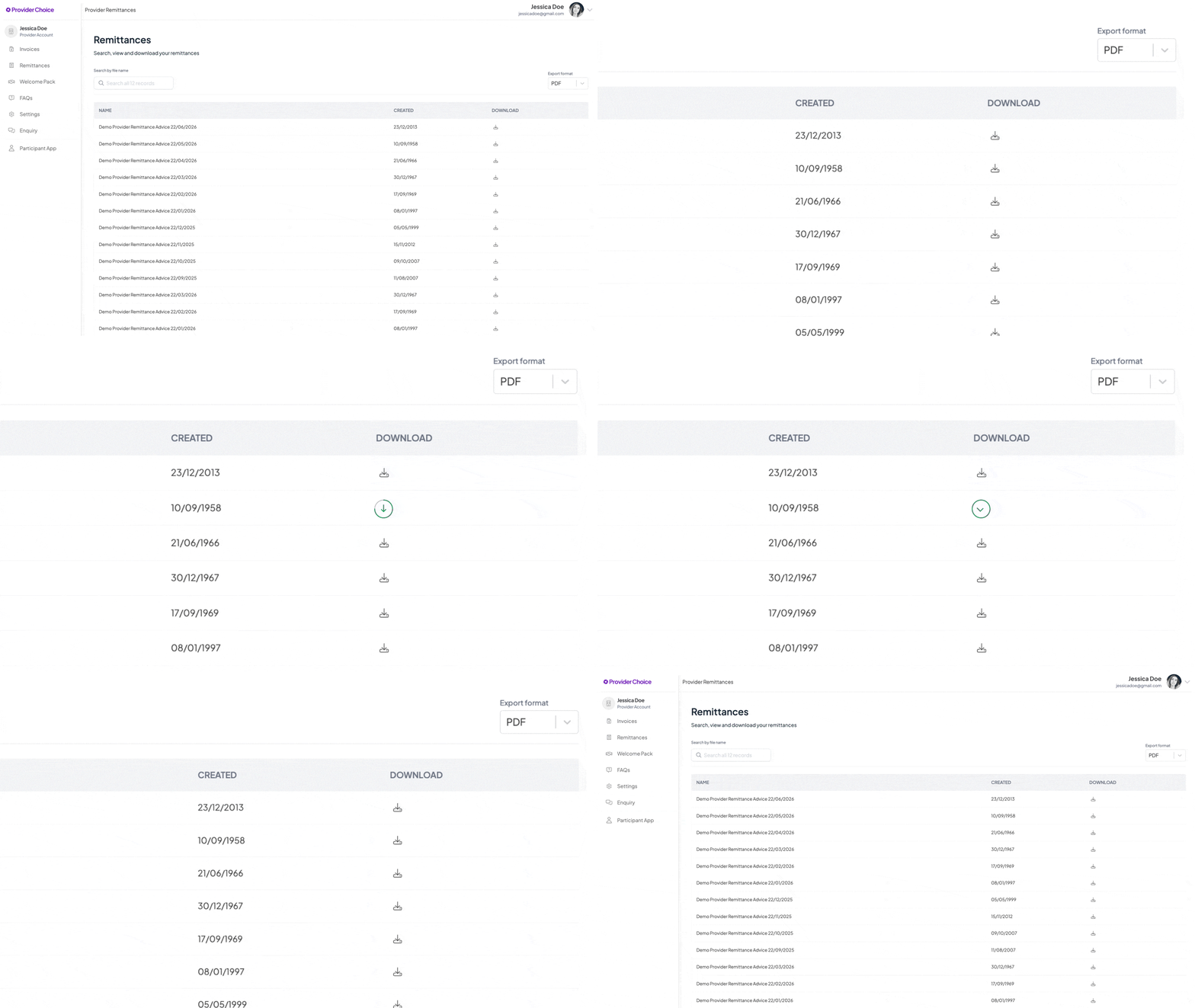
From there, you can download any remittance as a PDF or Excel file, whichever works best for your records.
How to Read Your Remittance
Each remittance gives you a clear breakdown of the payment:
- Your provider details including name, ABN and account information.
- Payment information such as the paid date and total amount paid.
- Invoice numbers and invoice dates for every claim included in that payment.
- A line-by-line breakdown of service dates, codes, items and amounts.
- The paid amount per invoice line and the overall total.
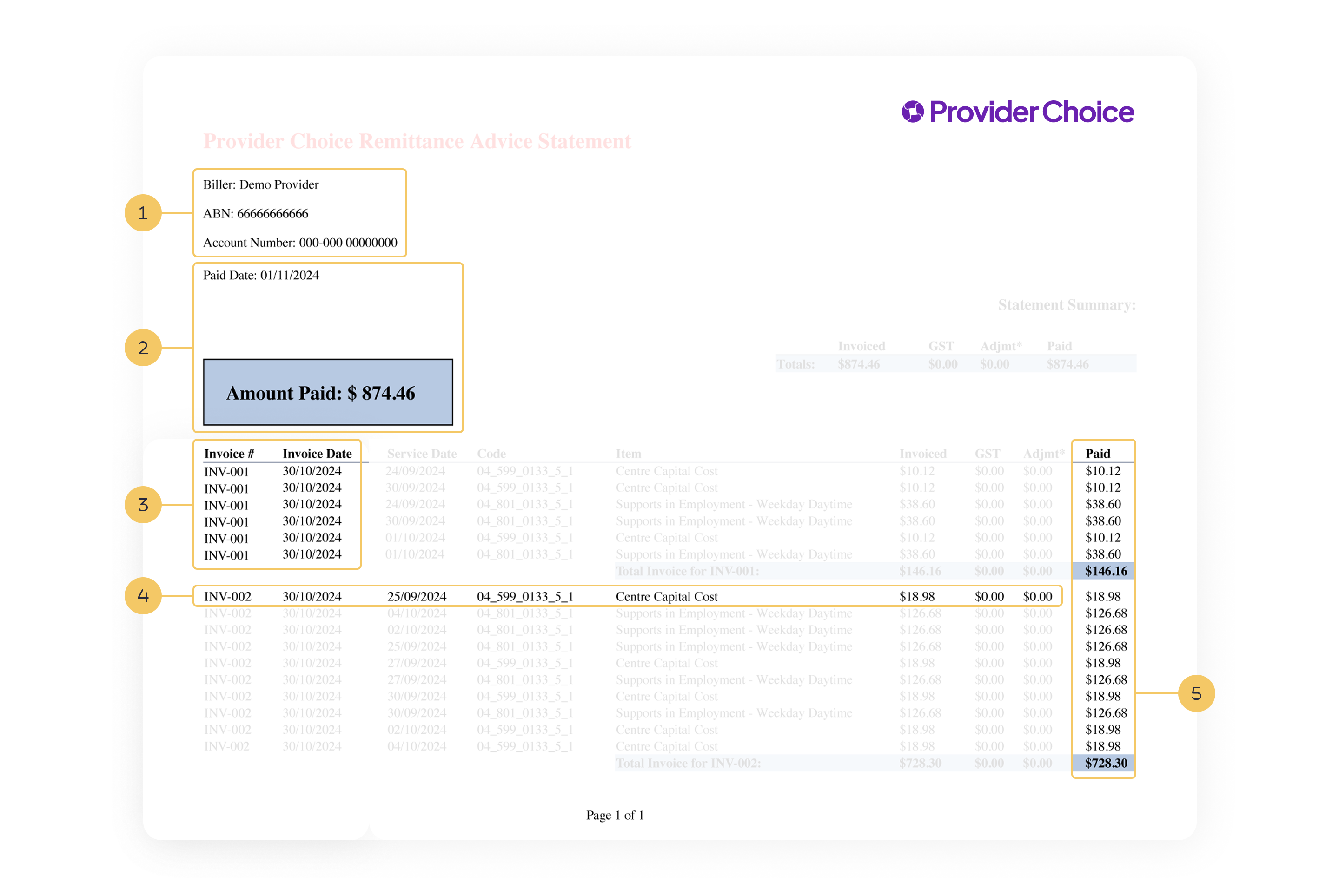
If a single payment covers more than one invoice, they'll all be listed on the one remittance.
Ready to Get Started?
Haven't registered yet? You'll need to sign up using the same email address we send your remittance advice to. It only takes a few minutes.
Log in or register through the Provider Choice portal. Once you're in, your remittance history is waiting.
Rather talk it through? Schedule support from one of our Gurus at a time that suits you.
References:
Provider Choice portal